Book My Luck
Menu Bar Charm for Mac: A Tiny Ritual Up Top
A menu bar charm for Mac is a small app that lives behind an icon in the top strip and hangs a lucky charm from the edge of your screen, giving you a tiny ritual without any window or clutter. It stays out of the Dock and out of your way, waiting in the menu bar until you glance up or trigger it with a key.
Most charm ideas end up as a widget you have to open. Living in the menu bar is what makes this a background presence instead of one more app to manage.
Why put a charm in the menu bar?
The menu bar is the one place on a Mac that is always visible and never covered by a window. That makes it the natural home for a tool you want present but not in the way.
A charm run from there gets two things at once. It is always reachable and never demanding, sitting quietly near the clock while the charm itself hangs at the top of your screen, both out of your work.
That restraint is the difference between a tool you keep and a novelty you delete. A charm that demanded attention would be gone in a week; one that waits patiently becomes part of the furniture.
Running from the menu bar is a deliberate choice, not a limitation. It is why the charm feels like part of your Mac rather than a program you launch, in keeping with the best menu bar apps.
What can a menu bar charm do day to day?
More than sit there, though sitting there pleasantly is part of the appeal. The charm hangs from the top edge on a thin cord, sways, reacts to your cursor, and clicks through your work so it never blocks anything.
The hotkeys make it feel instant. Three global shortcuts cover the common actions, in the spirit of other Mac hotkeys for menu bar apps.
How is a charm different from a widget or a pet?
It helps to place the charm against the two things people compare it to. Each sits differently on your screen and asks for a different amount of attention.
A menu bar charm
- Lives: behind a top-strip icon; the charm hangs from the top edge.
- Attention: low; present but calm.
- Interaction: glance, hotkey, or a grab-and-flick.
- Point: a tiny ritual and a marked moment.
A desktop widget
- Lives: on the desktop or in a panel.
- Attention: medium; it shows data you read.
- Interaction: you look at it for information.
- Point: at-a-glance facts, not ritual.
A desktop pet
- Lives: roaming across your wallpaper.
- Attention: higher; it moves around.
- Interaction: you watch and play with it.
- Point: company and fun.
The charm sits at the calm end of that range. If you want something with more character that moves, the cute Mac apps roundup and the desktop pet comparison will point you elsewhere.
If you find yourself watching the charm too much, switch it to behind-windows mode so it only appears at the edges of your desktop. The ritual should punctuate your work, not compete with it.
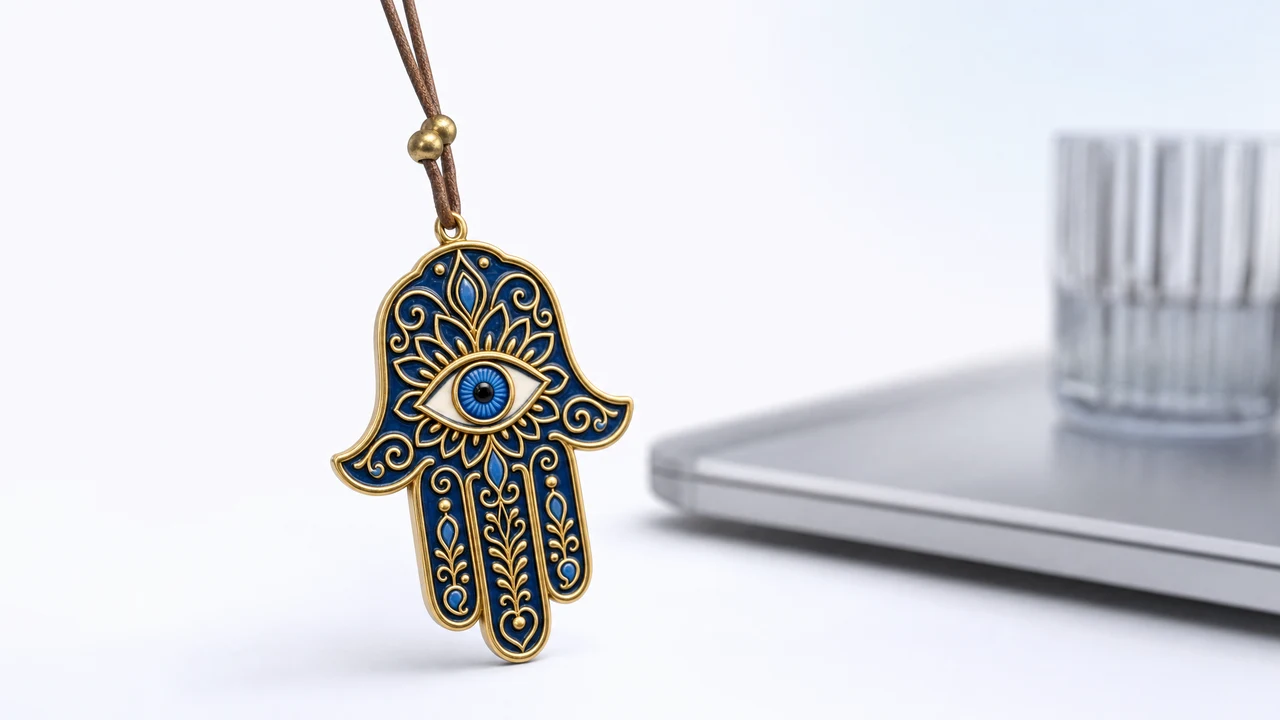
The hamsa is a gentle first pick. It is the open hand of the Middle East and North Africa, a long-standing symbol of protection, and its ritual is a simple flick that sets it swaying.
Whatever you choose, hold to the honest line. A charm is a charm, not a promise; it marks a moment and steadies you the way a pre-game ritual or a lucky pen does, and it makes no claim about outcomes. Cultural charms are shown with respect for their real origins.
For the mechanics of how the charm hangs, sways, and clicks through, the guide to hanging a charm on your Mac screen goes into detail. The menu bar is simply where you steer all of that from.
Set your charm once, learn the three hotkeys, and let it fade into the day. It will sway at the edge, click through your work, and come forward only when you ask, which is exactly the amount of presence a good ritual tool should have.
On a Mac with more than one display, each screen gets its own charm, so the effect stays consistent as you move between monitors. It is one small, calm thing in the same place every time you look up.
It runs on macOS 14 or later today, and it is built to be light enough to leave on all day without any noticeable cost to your machine. Windows is coming soon, and the same key will cover it when it arrives, so nothing you buy now is tied to one platform forever. For most people, though, the appeal is simpler than any of that: a quiet charm at the top of the screen that they set once and enjoy for months.
If you are coming to this from full-window apps, the adjustment is mostly about letting go. There is nothing to open each morning and nothing to check, which can feel strange for a day or two before it feels like relief. The charm is meant to be the opposite of another tab: a fixed, friendly point at the top of the screen that you visit only when a moment calls for it, and ignore completely the rest of the time.
Book My Luck, the menu bar charm described here, is a one-time purchase with no subscription. The pricing is a single payment for your Mac, and every charm, mode, and hotkey is included.
Does the charm block my clicks or windows?
No. The charm hangs from the top edge and clicks through, so your clicks reach whatever is behind it. You can also hide it entirely or tuck it behind your windows.
Is a menu bar charm distracting?
It is designed not to be. If you find it pulls your eye, switch it to behind-windows mode so it only shows at the edges of your desktop.
Does the charm actually bring luck?
It marks a moment and steadies you, the way a pre-game ritual does. It is a charm, not a promise, and it makes no claim about outcomes.
Book My Luck today
Book My Luck is a desktop decoration for macOS 14+ and Windows 10/11. The desktop outside the charm remains clickable. The current Mac and Windows downloads are version 1.0.32, signed by KAK DIGITAL LLC. On Mac, Charm Centre controls size, cord length, placement, displays and motion. Collections and controls can differ between Mac and Windows.
There is no calendar integration, booked-moment scheduler or native-app free trial. Explore the website demo and regional pricing. One key activates one computer at a time; activation and license refresh require internet. Preferences are local, but purchasing, activation and website analytics use online services described in the privacy policy.
Hang one for the moment that matters
Book My Luck hangs a rendered charm from your Mac or Windows screen, with rope physics and manual interaction. Check the current platform release and regional price before buying.
Get Book My Luck →