Book My Luck
Mac Apps Without Subscriptions: One-Time Purchases

Mac apps with a one-time purchase let you pay once and keep using the version you bought, with no monthly fee, and plenty still exist in utilities, menu-bar tools, and small delightful apps. When you shop for mac apps one time purchase, the thing to check is what that single price actually includes, because "buy once" can mean different things.
Most advice treats subscriptions as inevitable, which misses that a large corner of the Mac world still sells software you simply own.
What does a one-time purchase actually mean?
A one-time purchase means you pay a single price and the app is yours to keep. There is no recurring charge to keep it working.
The nuance is upgrades. Some one-time apps give you the current major version forever and charge again only for the next big release; others include everything. Neither is wrong, but you should know which you are buying.
The other nuance is device limits. A one-time license may cover one Mac or several, so read the machine count before you buy. That single detail decides whether the price fits your setup.
Support and activation matter too. A fair one-time app lets you move your license when you replace a Mac, even if that takes a quick word with support.
This is about buying models, not brands. We describe categories and what to check, so you can evaluate any Mac app on its own terms rather than by reputation.
Which Mac apps still sell without a subscription?
Several categories have held onto the buy-once model, especially smaller and single-purpose tools. These are the aisles to browse first.
Menu-bar utilities such as clipboard managers, menu-bar tidiers, and window managers often sell outright. Our menu bar apps guide covers the category.
Focus and desk tools like timers and some blockers frequently offer a one-time price, since they are small and stable. See our best Mac apps for a calm desk.
Text and file utilities such as expanders, renamers, and archivers commonly sell a version you keep.
Small delights such as widgets, screen companions, and charms are usually one-time buys, because they are simple and personal rather than cloud-heavy. Our roundup of cute Mac apps leans this way.
Apple's own apps are effectively free with the Mac, which sets a fair baseline for what a small tool should cost.
Why buy once instead of subscribe?
The math is the plainest reason. A small tool at a one-time price often costs less over a year than three months of a subscription for the same job.
Ownership is the second reason. With a one-time app you keep the version you paid for even if the maker pauses, whereas a lapsed subscription usually stops working. You own it, you do not rent it.
There is a quieter reason too. A one-time app has no incentive to nag you into a plan or to hold features hostage, so it can just do its job and get out of the way.
Subscriptions still make sense for apps with real ongoing costs, like cloud sync or constant server work. The question is whether the app you want actually has those costs, or whether it could just as well be sold once.
A small comparison: one-time vs subscription
Both models are legitimate. This is how they trade off for a small, mostly-offline Mac app.
| Factor | One-time purchase | Subscription |
|---|---|---|
| Cost over time | Fixed; often cheaper for small tools | Recurring; adds up |
| If you stop paying | Keeps working | Usually stops |
| Best fit | Utilities, delights, offline tools | Cloud services, constant updates |
For a small on-screen delight that runs on your own machine, the one-time column is the natural fit. There is no server bill to justify a monthly charge.
What to check before you buy a one-time app
Run a short checklist so the single price holds no surprises. It takes a minute and saves regret.
First, confirm what upgrades are included and whether the next major version costs extra. Second, check the machine count so the license matches how many Macs you use.
The one-time checklist in four words: upgrades, machines, transfer, privacy. Confirm those and a single price rarely surprises you.
One honest note, since some of these delights are charms. A charm is a charm, not a promise; it marks a moment and steadies you the way a ritual does, and it changes no outcome. You are buying a small, owned pleasure, not luck itself.
Owning a small, calm kit
You can build a genuinely useful Mac setup entirely from one-time purchases. A tidier, a timer, a window manager, and one on-screen delight cover a lot without any recurring bill.
Favor tools that run on your machine and rest when idle, since those are the ones that make sense to own rather than rent. A menu-bar charm fits that pattern, as do most of the small utilities above.
Buy the versions you like, keep them, and skip the monthly nags. For a calm desk built the same way, our best Mac apps for focus piece pairs well with this one.
When is a subscription actually fair?
Subscriptions get a bad name, but some apps genuinely deserve one. If a tool carries real ongoing costs, a recurring price is honest rather than greedy.
The clearest case is cloud work. An app that stores your data on servers, syncs it across devices, or runs constant processing on your behalf has a bill every month, and a subscription is how it pays that bill.
Frequent, substantial updates can also justify a subscription, though less often than makers claim. The test is whether the app keeps doing meaningful new work for you, or whether it simply added a fee to a finished tool. Ongoing cost, ongoing price is the fair principle.
Where a subscription is hard to justify is a small, offline app that does one thing and does not change much. A screen delight, a menu-bar tidier, or a charm has no server to feed, so a one-time price fits it, and a monthly charge would be renting something that could just be sold.
Apply that test and the choice gets clearer. Pay monthly for services that keep working on your behalf, and pay once for tools that simply sit on your Mac and do their job.
Building a Mac kit you own
You can assemble a capable Mac without a single recurring charge. Pick a one-time window manager, a one-time clipboard tool, a one-time timer, and one small delight, and you have covered a lot of daily friction.
The payoff compounds quietly. A year in, your bank statement shows nothing for these tools, and they all still work exactly as they did on day one, which is the whole promise of owning software rather than renting it.
Keep the checklist handy as you shop, and favor makers who are plain about upgrades and machine limits. A kit of owned tools, each resting when idle, is calm on your Mac and calm on your budget, and a charm on the top edge fits that spirit as the small, owned pleasure it is rather than a service you subscribe to.
Are there still Mac apps with a one-time purchase?
Yes, plenty. Menu-bar utilities, timers, text tools, and small delights like widgets and charms commonly sell a version you buy once and keep. Cloud-heavy services are the ones that usually require a subscription.
Is a one-time purchase cheaper than a subscription?
For small, mostly-offline tools it usually is over any real span of time, since you pay once instead of every month. Subscriptions can be fairer for apps with ongoing server costs, so weigh whether the app you want actually has those.
What should I check before buying a one-time Mac app?
Confirm what upgrades are included, how many Macs the license covers, whether you can move it to a new machine, and whether it needs an account. Those four checks keep a single price from surprising you later.
Do one-time apps still get updates?
Often yes, within the version you bought, with bug fixes and minor improvements included. A new major version may cost again, which is normal. Check the maker's upgrade policy before you buy so you know what to expect.
Is Book My Luck a subscription?
No. It is a one-time purchase with no subscription and no free trial; Lucky covers one Mac and Extra Lucky covers one Mac too, and support can release a seat by hand if you replace a machine. You pay once and keep the charm you bought.
Book My Luck today
Book My Luck is a desktop decoration for macOS 14+ and Windows 10/11. The desktop outside the charm remains clickable. The current Mac and Windows downloads are version 1.0.32, signed by KAK DIGITAL LLC. On Mac, Charm Centre controls size, cord length, placement, displays and motion. Collections and controls can differ between Mac and Windows.
There is no calendar integration, booked-moment scheduler or native-app free trial. Explore the website demo and regional pricing. One key activates one computer at a time; activation and license refresh require internet. Preferences are local, but purchasing, activation and website analytics use online services described in the privacy policy.
Hang one for the moment that matters
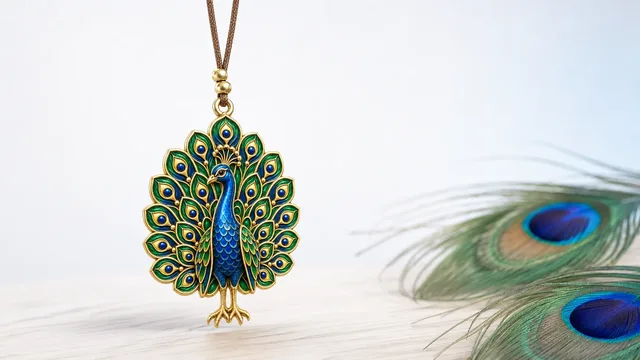
Book My Luck hangs a rendered charm from your Mac or Windows screen, with rope physics and manual interaction. Check the current platform release and regional price before buying.
Get Book My Luck →