Book My Luck
Does a Menu Bar App Slow Down Your Mac?

A menu bar app usually does not slow down your Mac, because a well-built one rests when idle and its menu bar app CPU usage stays near zero until you use it. What actually costs performance is constant animation, frequent polling, and background syncing, and those habits can hide in any app regardless of where it lives.
Most worry about the menu bar itself, which misses the point: the location is harmless, but what the app does while sitting there is what matters.
Does a menu bar app slow down your Mac?
For most apps, no. A menu-bar app that simply waits for you to click it uses almost no processor time in between.
The menu bar is just a home. An icon sitting there costs nearly nothing; the cost comes from work the app performs behind that icon.
So the honest answer is: it depends on the app, not on the fact that it lives in the menu bar. Idle apps are cheap; busy apps are not, wherever they sit.
If you have ten menu-bar apps and your Mac feels slow, the culprit is usually one or two that never rest, not the nine that do.
This applies to any background app, not just charms or widgets. We describe behaviors, not brands, so you can judge any menu-bar tool by what it actually does.
What actually drives menu bar app CPU usage?
Three habits explain nearly all the cost. Knowing them lets you spot a heavy app quickly.
Constant animation. An app that redraws the screen many times a second, like a roaming pet or a live graph, keeps the processor and GPU busy. Motion is the biggest single driver.
Frequent polling. An app that checks the network, disk, or a sensor every second is doing steady work even when nothing changed. Weather and stats tools can fall into this if poorly tuned.
Background syncing. An app that uploads or downloads in the background spends CPU and battery on that traffic, sometimes far more than its tiny icon suggests.
An app that avoids all three, waking only when you interact, has near-zero idle cost. That is the profile you want in the menu bar.
How do I check a menu bar app's CPU use?
Activity Monitor gives you the truth in under a minute. It ships with every Mac in the Utilities folder.
Open it, click the CPU tab, and sort by the CPU column. Watch the app while you are not touching it; a good citizen should hover near zero percent when idle.
Then check the Energy tab, which shows a twelve-hour energy impact average. A low average means the app is kind to your battery over a day, not just in a single glance.
# Or from Terminal, sample a running app by name:
top -l 2 -stats pid,command,cpu -o cpu | grep -i "AppName"
If an app shows meaningful CPU while you are doing nothing, that is your answer. For context on how these apps work, see our Mac menu bar apps guide.
Test at idle, not while clicking. Any app spikes briefly when you open its menu; what matters is whether it returns to near zero afterward. Judge the resting state.
A small comparison: three menu bar app profiles
Not all menu-bar apps behave alike. Here is how three common profiles compare at idle.
| Profile | Idle CPU | Battery impact |
|---|---|---|
| Rests until clicked | Near zero | Negligible |
| Polls every few seconds | Low but constant | Small, adds up |
| Animates or syncs nonstop | Noticeable | The one to watch |
The first profile is what you want for anything that lives on screen all day. A charm that sways briefly and then settles belongs here, not in the animation-heavy row, because it is idle most of the time.
Are charms and overlays heavier than plain menu bar apps?
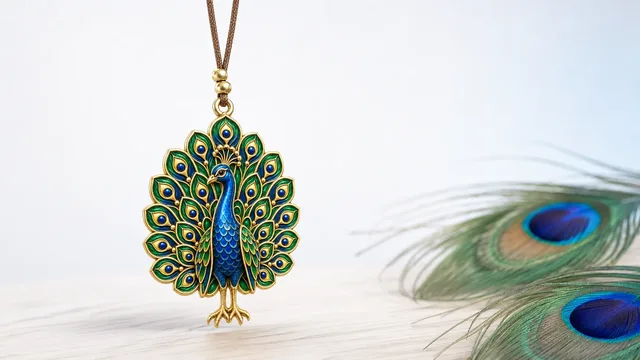
Not inherently. A charm is only heavier than a plain utility if it animates constantly, and a well-made one does not.
The trick is that motion is brief and then it stops. A charm sways when you move the cursor or when it performs a short ritual, then it settles and goes idle, so its average cost stays low.
One honest note, since a charm is a good-luck object. A charm is a charm, not a promise; it marks a moment and steadies you the way a ritual does, and it will not change any outcome. Its light footprint is a design choice, not a lucky one.
Keeping your Mac fast with menu bar apps
Run the apps you use and quit the ones you do not. A short list of resting apps is faster than a long list of busy ones.
Once a month, open Activity Monitor and Login Items, and remove anything that shows idle CPU or that you no longer open. This single habit fixes most "my Mac got slow" complaints.
When you add a menu-bar app, prefer one that rests when idle and does not sync in the background. A tidy menu bar full of light apps stays fast, and pairs well with the calm setup in our best Mac apps for focus. If you decide a charm fits, its pricing is a one-time purchase.
Does the number of menu bar apps matter?
The count matters less than the behavior of each app. Ten resting apps can be lighter than one that animates or syncs nonstop, so do not judge your setup by the length of the row alone.
That said, more apps means more small wakeups, and a few of those add up. Memory is the quieter cost here: each app holds a little, and a very long list can leave less headroom for the work you actually care about.
The practical rule is to keep apps you use and quit apps you do not, then let behavior decide the rest. Behavior beats count every time, but a shorter list is still easier to keep honest.
If your menu bar has grown without you noticing, a tidier that hides overflow behind a divider helps you see what is really running. From there, Activity Monitor tells you which of them deserve to stay.
How macOS handles background apps
Modern macOS is fairly good at throttling apps that are not doing visible work, which is part of why a resting menu-bar app costs so little. The system can slow or nap processes that sit idle, so a well-behaved app barely registers.
What macOS cannot fix is an app that insists on working. If a tool polls a server every second or animates every frame, the system lets it, because the app is technically busy, and that shows up as steady CPU and a warmer machine.
This is why the design of the app matters more than any system setting. An app built to wake briefly, do its small job, and sleep again cooperates with macOS instead of fighting it, and a charm that sways then settles is exactly that kind of cooperative app.
The lesson is simple: trust the system to handle idle apps, and put your attention on spotting the one or two apps that never idle in the first place.
Does having a menu bar app slow down my Mac?
Usually no. A well-built menu-bar app rests when idle and uses almost no CPU until you click it. Slowdowns come from apps that animate, poll, or sync constantly, not from the menu bar itself.
How do I check menu bar app CPU usage?
Open Activity Monitor from the Utilities folder, click the CPU tab, and watch the app while you are not using it. A good app hovers near zero percent at idle. The Energy tab shows its battery impact over twelve hours.
Why is my Mac slow with many menu bar apps?
It is usually one or two apps that never rest, not the total count. Sort Activity Monitor by CPU at idle to find the offenders, then quit or remove them. The apps sitting quietly at zero are not the problem.
Do charm or overlay apps use a lot of CPU?
Only if they animate nonstop. A charm that sways briefly and then settles is idle most of the time, so its average cost is low. Constant motion is the thing to watch, whatever the app is called.
Book My Luck today
Book My Luck is a desktop decoration for macOS 14+ and Windows 10/11. The desktop outside the charm remains clickable. The current Mac and Windows downloads are version 1.0.32, signed by KAK DIGITAL LLC. On Mac, Charm Centre controls size, cord length, placement, displays and motion. Collections and controls can differ between Mac and Windows.
There is no calendar integration, booked-moment scheduler or native-app free trial. Explore the website demo and regional pricing. One key activates one computer at a time; activation and license refresh require internet. Preferences are local, but purchasing, activation and website analytics use online services described in the privacy policy.
Hang one for the moment that matters
Book My Luck hangs a rendered charm from your Mac or Windows screen, with rope physics and manual interaction. Check the current platform release and regional price before buying.
Get Book My Luck →