Book My Luck
Mac Shortcuts URL Scheme: Trigger a Charm
A Mac Shortcuts URL scheme is a custom link like bookmyluck://bless that a Shortcut can open to trigger an app action, and you can use it to fire a small ritual from any automation you already run. You drop an Open URLs action into a Shortcut, paste the scheme, and the charm on your screen responds without a single line of code.
Most people think Shortcuts can only talk to apps that ship their own actions. A URL scheme is the quiet back door that works even when an app has no Shortcuts actions of its own.
What is a Mac Shortcuts URL scheme, in plain terms?
A URL scheme is a link that opens an app instead of a web page. You already use them without thinking: mailto: opens your mail app, and facetime: starts a call.
A custom scheme like bookmyluck:// works the same way for a specific app. When macOS sees it, it hands the request to whichever app registered that scheme and passes along the command after the slashes.
A scheme is really just a doorbell for an app. You press it from anywhere that can open a link, and the app answers, whether the press came from a browser, a Shortcut, or a terminal.
Shortcuts can open links with a built-in action, which means any Shortcut can ring that doorbell as one of its steps. That is the whole mechanism, and it is surprisingly simple once you see it working once.
URL schemes are a standard, long-standing part of macOS and iOS. They are not a trick or a workaround; they are the documented way apps expose simple commands to each other.
How do you trigger a charm from a Shortcut?
The whole thing is one action. Open the Shortcuts app, create or edit a Shortcut, and add the step that opens a link.
Here is the exact shape of it.
- In Shortcuts, click the plus to make a new Shortcut, or open an existing one.
- Search the action list for Open URLs and drag it in.
- Replace the placeholder with your scheme, for example
bookmyluck://bless. - Run it once to confirm the charm comes forward.
Because it is just an Open URLs action, you can add it to the end of any Shortcut you already use. A "Start Deep Work" Shortcut that closes tabs and turns on a focus mode can end by summoning the charm as its final, human step, so the automation finishes with a moment rather than a silence.
There is a nice side effect to ending an automation with a visible charm. Most Shortcuts finish silently, so you are never quite sure they ran; a charm coming forward is a small, unmistakable confirmation that the whole chain fired. That feedback turns a fire-and-forget automation into something you can actually trust, because you see the last step happen every time.
Give the Shortcut a spoken name and it works from voice too. Saying the phrase runs the whole Shortcut, and the charm becomes the visible confirmation that your automation fired.
You can also chain the scheme with other apps' actions. A Shortcut might set a focus mode, open your editor, start a timer, and then summon the charm as the final human beat, so the technical setup and the ritual happen in one press. The scheme is just another action in the list, which means it slots into whatever you already build without any special handling.
Where the scheme fits your day
The value of a Mac Shortcuts URL scheme is not one clever Shortcut; it is that the same doorbell works from many places. Choose the trigger that matches how the moment actually starts for you.
From a Shortcut on the menu bar or Dock
- Runs when: you click the Shortcut.
- Best for: a deliberate ritual you start by hand, like beginning a hard task.
- Setup: one Open URLs action.
From an automation
- Runs when: a time of day, an app opening, or a focus mode turning on.
- Best for: recurring moments you do not want to remember.
- Setup: a personal automation in Shortcuts that runs the URL step.
From a script or hook
- Runs when: a command executes, like a
git push. - Best for: developers who want the ritual tied to a terminal action; see the git hook ritual.
- Setup:
open "bookmyluck://bless"inside your script.
The same scheme drives all three. That is the point: you learn one link and reuse it everywhere a moment lives, instead of hunting for a different integration each time.
If your moments are meetings and events rather than commands, the calendar reminder ritual approach fits better, and it uses the same underlying idea of letting an event, not your memory, start the ritual.
A charm worth summoning
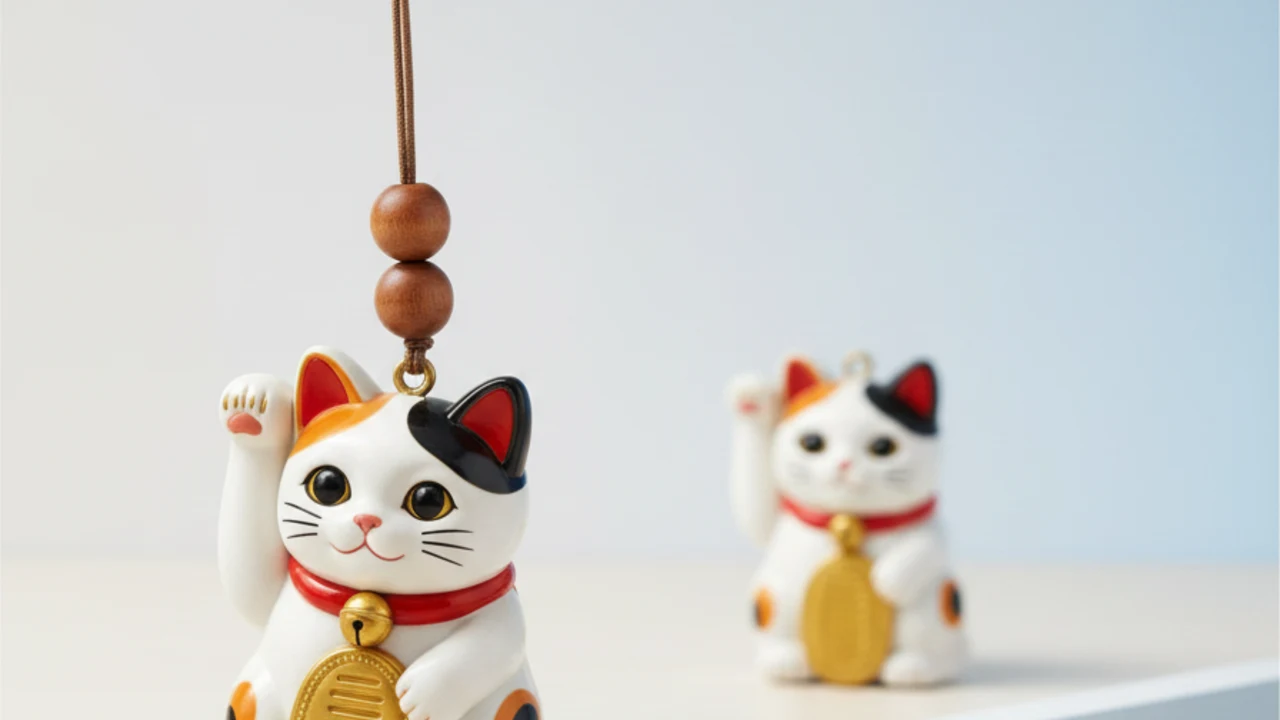
For a Shortcut that kicks off work, the maneki-neko suits the trigger. It is the Japanese beckoning cat, and its ritual is the raised paw that waves, a gesture of welcome and invitation as you start.
When your Shortcut opens the scheme, the cat's paw waves and then settles. The charm hangs from the top edge of your screen the whole time, swaying on its cord, and everything beneath it clicks straight through so your automation is never in the way.
Keep the honest framing in mind. A charm marks the moment, steadies you, and gives you a small story; it does not change what happens next. It works the way a lucky pen does, and it promises nothing about the result.
Do not build a Shortcut that fires the charm dozens of times a day. A ritual that happens constantly stops being a ritual and becomes noise. Reserve it for the moments that actually matter.
Building a small library of ritual Shortcuts
Once the pattern clicks, a handful of named Shortcuts covers most of your moments. Keep each one focused on a single moment so the charm stays meaningful rather than routine.
A good starter set is three: one for starting deep work, one for shipping something, and one for closing the day. Each ends with the same Open URLs action, and each can be bound to a hotkey if you prefer keys to clicks, which pairs naturally with your other Mac hotkeys.
The discipline is the same as any habit: fewer triggers, used consistently, beat a sprawling set you forget. Pick the three moments that carry weight in your week and wire only those, then add more only when one proves it earns a place.
One last habit worth forming: name your Shortcuts for the moment, not the mechanism. A Shortcut called "Ship it" or "Sit down to write" is one you will actually reach for, while one called "Open URL bless" is not. The scheme is the plumbing; the name is the ritual, and the ritual is the part your future self responds to when the moment arrives.
Book My Luck is a one-time purchase with no subscription, and the URL scheme is part of the app rather than an add-on. The pricing is a single payment for your Mac, and every scheme and hotkey works the same afterward.
What is a Mac Shortcuts URL scheme?
It is a custom link, such as bookmyluck://bless, that a Shortcut opens to send a command to an app. Any Shortcut can trigger it with the built-in Open URLs action, even when the app ships no Shortcuts actions of its own.
Do I need to write code to use it?
No. You add an Open URLs action to a Shortcut and paste the scheme; there is no scripting involved. Developers can also call the same scheme from a terminal with open, but that is optional.
What can the scheme do?
For Book My Luck, bookmyluck://bless performs the charm's ritual immediately, and bookmyluck://book opens the flow to book a future moment. You can trigger either from a Shortcut, an automation, or a script.
Yes. Build a personal automation in the Shortcuts app that runs on a time, an app launch, or a focus mode, and have it open the URL. The charm then fires without you doing anything.
Does triggering a charm slow down my Shortcut?
No. The Open URLs step is near-instant, and the charm animates on its own without blocking the rest of the Shortcut or anything on your screen.
Is the charm a good-luck guarantee?
No. It marks the moment and steadies you, the way a pre-game ritual does, and it makes no promise about the outcome. The automation is convenience; the meaning you give the moment is yours.
Book My Luck today
Book My Luck is a desktop decoration for macOS 14+ and Windows 10/11. The desktop outside the charm remains clickable. The current Mac and Windows downloads are version 1.0.32, signed by KAK DIGITAL LLC. On Mac, Charm Centre controls size, cord length, placement, displays and motion. Collections and controls can differ between Mac and Windows.
There is no calendar integration, booked-moment scheduler or native-app free trial. Explore the website demo and regional pricing. One key activates one computer at a time; activation and license refresh require internet. Preferences are local, but purchasing, activation and website analytics use online services described in the privacy policy.
Hang one for the moment that matters
Book My Luck hangs a rendered charm from your Mac or Windows screen, with rope physics and manual interaction. Check the current platform release and regional price before buying.
Get Book My Luck →