Book My Luck

Calendar Reminder Ritual Mac: Bless the Next Event

RitualsSeptember 10, 20267 min readBy Book My Luck
Calendar Reminder Ritual Mac: Bless the Next Event — Book My Luck

A calendar reminder ritual on Mac brings a small charm forward at the moment your next event begins, so a meeting, interview, or deploy window is marked without you lifting a finger. It uses an optional, read-only calendar cue that reads only the start time and title of your next event, and keeps both on your device.

Most calendar tools shout at you with a banner and a sound. A ritual does the opposite: it gives you a quiet, deliberate beat right as the thing starts.

Why tie a ritual to your calendar?

The moments that deserve a ritual are usually already on your calendar. The exam, the interview, the pitch, the release, they all have a start time you have already written down.

That start time is a perfect cue. Your calendar already knows when the moment is, so a ritual that reads it removes the one job you are most likely to forget when you are nervous, which is remembering to pause at all.

A banner reminder interrupts. A charm coming forward is different in kind: it is a marked moment, not an alert, and it settles on its own without demanding a tap or a dismissal.

There is a calming effect in that difference. A notification puts you on the back foot, reacting; a ritual that arrives on time puts you on the front foot, ready, which is exactly the state you want before something that matters.

Key

The difference is intent. A notification tells you something is due; a ritual invites you to arrive. The calendar cue is what makes the invitation land at exactly the right minute.

Is a calendar cue safe for my private schedule?

This is the right question to ask of anything that touches your calendar, and the answer depends entirely on where the data goes. A schedule is one of the most revealing datasets you own.

Book My Luck's calendar cue is built to be as small as possible. It is read-only, so it never edits or creates events, and it reads only what it needs: the start time and the title of your next event, to know when to bring the charm forward.

The part that matters most is that event titles and start times stay on the device. Nothing about your calendar is uploaded, synced, or sent anywhere, because the app has no account and no telemetry at all.

That posture is not an add-on setting you have to find and switch on; it is how the app is built. There are no servers to trust because your calendar data never reaches any.

Heads up

If any app that reads your calendar cannot tell you plainly where that data goes, treat that as a reason to say no. A read-only, on-device cue is the standard you should hold every such tool to.

That privacy posture is what makes the feature comfortable to leave on. The cue is optional; you can also drive the same rituals purely by hand or by Shortcut if you would rather not connect the calendar at all.

How does a calendar reminder ritual on Mac work?

A calendar reminder ritual on Mac is hands-off once you switch the cue on. The flow is quiet from there. The charm hangs from the top edge of your screen as usual, swaying on its cord, clicking through so it never blocks your work.

At the start time of your next event, the charm comes forward, performs its small ritual, and then settles back. You did nothing; the moment simply arrived, marked, the way a bell rings whether or not you were watching the clock.

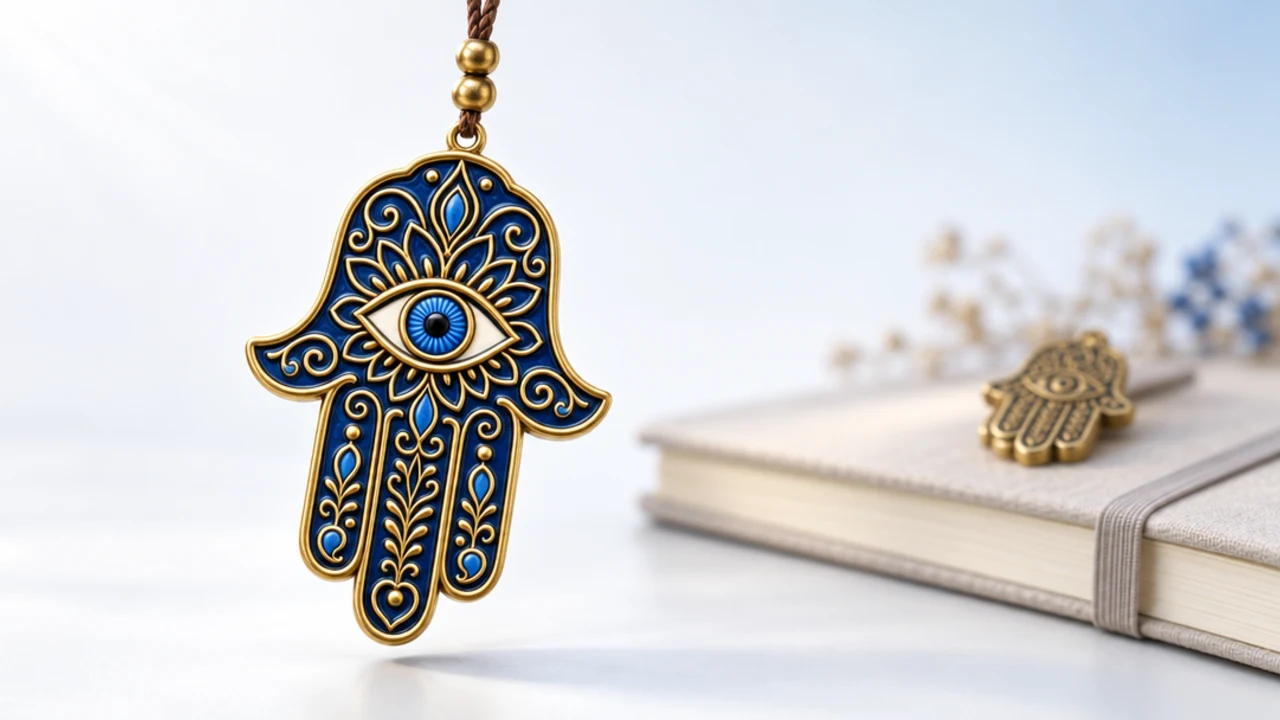
For events that carry weight, the hamsa suits the cue. It is the open hand of the Middle East and North Africa, a long-standing symbol of protection, and its ritual here is a gentle flick as the event begins.

Here is the honest framing, which belongs in any post about luck. A charm works the way a pre-game ritual or a lucky pen works: it marks the moment, steadies you, and gives you a story, and it makes no promise about how the meeting goes.

The timing is the quiet advantage. A reminder set for ten minutes before an event catches you while you are still finishing something else, so the nudge lands at the wrong moment and gets dismissed. A ritual tied to the exact start time catches you as you actually turn to the thing, which is when a beat of steadiness is worth the most. You are not being told to prepare; you are being met at the threshold, and that is a different feeling entirely.

On a Mac with several displays, the charm hangs on each screen, so wherever you happen to be looking when the event begins, the moment is marked. You do not have to be watching a particular window for the cue to reach you.

Automatic cue versus booking by hand

You do not have to choose one forever; many people use both. Here is how they compare so you can pick per situation.

The automatic calendar cue

  • Fires when: your next event starts, read from the calendar.
  • Best for: recurring moments you would rather not track, like daily standups or a weekly review.
  • What it reads: start time and title only, kept on the device.
  • Effort: none after you turn it on.

Booking a moment by hand

  • Fires when: the exact minute you set.
  • Best for: a specific high-stakes moment, like an interview at 3pm.
  • What it reads: nothing; you type the time.
  • Effort: a few seconds to book it.

The automatic cue is the low-effort default for a busy calendar. Booking by hand is better for the one moment that truly matters, where you want to set it deliberately; the full method is in how to book a moment.

For a launch specifically, many people prefer to book it by hand so they can choose the charm and the minute with care, as covered in the good luck charm for a launch guide. A launch is worth a deliberate setup rather than a cue that fires alongside everything else.

Setting it up so it actually helps

The cue is only useful if it fires on the right events. Keep it meaningful by not letting it trigger on every fifteen-minute block in your day.

A calendar reminder ritual on Mac is only as good as the events it watches. The trick is to anchor the ritual to events that already carry weight, which is the same idea behind any good anchoring habit cue: attach the new behaviour to something that reliably happens and matters. A charm that comes forward for a genuine moment stays special; one that fires for every calendar item becomes wallpaper.

If your day is dense, consider limiting the ritual to a category of events, so it marks the interviews and launches rather than the routine syncs. The moment should feel like an arrival, not an interruption every half hour.

And keep trusting the safeguards, not the charm. Prepare for the meeting, do the reps, know your material; the ritual steadies the person walking in, and that is all it claims to do. The calendar cue is a convenience, and the meaning you bring to the moment is the part that actually helps.

It also helps to review, once a week, which events the ritual has been marking. If it fired for things that did not matter, tighten it; if it missed a moment you cared about, add that kind of event. A cue is only as good as the events it watches, and a quick weekly glance keeps it pointed at the moments that deserve a beat of steadiness rather than the ones that do not.

Book My Luck is a one-time purchase, no subscription, and the calendar cue is included rather than a paid extra. The pricing is a single payment for your Mac, and the cue stays read-only and on-device no matter what.

FAQ

What is a calendar reminder ritual on Mac?

It is a small charm that comes forward at the start of your next calendar event, marking the moment automatically. It uses a read-only calendar cue to know when your next event begins.

Does the calendar cue send my events anywhere?

No. It is read-only and reads only the start time and title of your next event, and both stay on your device. The app has no account and no telemetry, so nothing is uploaded or synced.

Can I use rituals without connecting my calendar?

Yes. The calendar cue is optional. You can book moments by hand, trigger the charm from a Shortcut, or use a hotkey, none of which touch your calendar.

Will the charm interrupt my meeting?

No. The charm hangs from the top of the screen and everything under it clicks through, so it never blocks a call or a window. It performs its small ritual and settles on its own.

Which charm suits an important event?

The hamsa, the open protective hand of the Middle East and North Africa, fits a moment you want to feel steady for. Any of the charms work; pick the one whose meaning fits the occasion.

Does blessing the event improve the outcome?

No. The ritual marks the moment and steadies you, the way a pre-game routine does, and it makes no promise about the meeting. Your preparation is what shapes the result.

Hang one for the moment that matters

Book My Luck hangs a real lucky charm from the top of your Mac screen. It sways, clicks through, and drops in on cue for the moments you book. One purchase, no subscription.

Get Book My Luck →