Book My Luck

Desktop Charm vs Phone Wallpaper: Where Luck Lives

CompareSeptember 10, 20267 min readBy Book My Luck
Desktop Charm vs Phone Wallpaper: Where Luck Lives — Book My Luck

A lucky phone wallpaper is best when your nervous moments happen on the go, and a desktop charm is best when they happen at your Mac. The phone wallpaper is always in your pocket but hides the instant you open an app; the desktop charm stays in view while you work.

Most people set a lucky wallpaper and forget it. The question worth asking is not which looks nicer, but which one you will actually see at the moment your pulse picks up.

Where do your hard moments happen?

This is the whole decision, so start here. Picture the last three times you felt that flutter before something mattered.

Maybe it was a results text in a bus queue, which is a phone moment. Maybe it was a live demo or a merge to main, which is a desk moment.

The reminder has to sit where the nerves are. A beautiful charm on the wrong device is a charm you will not see when it counts.

Note

Neither surface is "the right one" in the abstract. A student who checks results on a phone and a developer who ships from a laptop have opposite answers, and both are correct for their own day.

Phone wallpaper vs desktop charm

Both put a symbol on a screen you look at often. They differ on where they travel, how present they stay, and whether anything reacts to you.

Lucky phone wallpaper

  • Lives on: the phone, always in your pocket
  • Presence: full-screen on the lock screen, hidden once an app opens
  • Reacts to you: no, it is a static image
  • Timing: none, it is there or it is not
  • Best for: moments away from a desk, quick glances, travel

Desktop charm

  • Lives on: the Mac screen, over your work
  • Presence: hangs at the top edge and stays visible while you work
  • Reacts to you: yes, it sways and responds to the cursor
  • Timing: can come forward on cue before a booked moment
  • Best for: exams, interviews, deploys and calls done at a computer

The sharp difference is presence during work. A wallpaper is hidden the moment you open a window, because the first app you open covers it, while a hung charm sits over your work and stays.

Does a lucky wallpaper actually help?

It can, on the surface where it lives. A lock screen you see fifty times a day is a real reminder, and there is nothing weak about that.

The limit is that a wallpaper is passive and gets covered. On a computer especially, you spend your time inside windows, not staring at the desktop, so the wallpaper protects an empty screen you rarely look at. The full version of that argument is evil eye wallpaper for Mac vs a charm that moves.

Tip

If your day is mostly on the phone, a lucky wallpaper is genuinely the right, free choice, and you do not need anything more. Set it and let it do its quiet work. The desktop charm is for people whose stressful moments land at a computer.

Here is the honest line for both. A charm is a charm, not a promise. It works the way a pre-game ritual works, by marking the moment and steadying you, not by changing what happens next.

Why a charm that moves stays in view

A still image, on any device, fades from attention. Your eye learns it and stops registering it within a week.

Movement fixes that. A charm that sways, reacts to your cursor and can be flicked keeps catching the eye the way a frozen picture cannot.

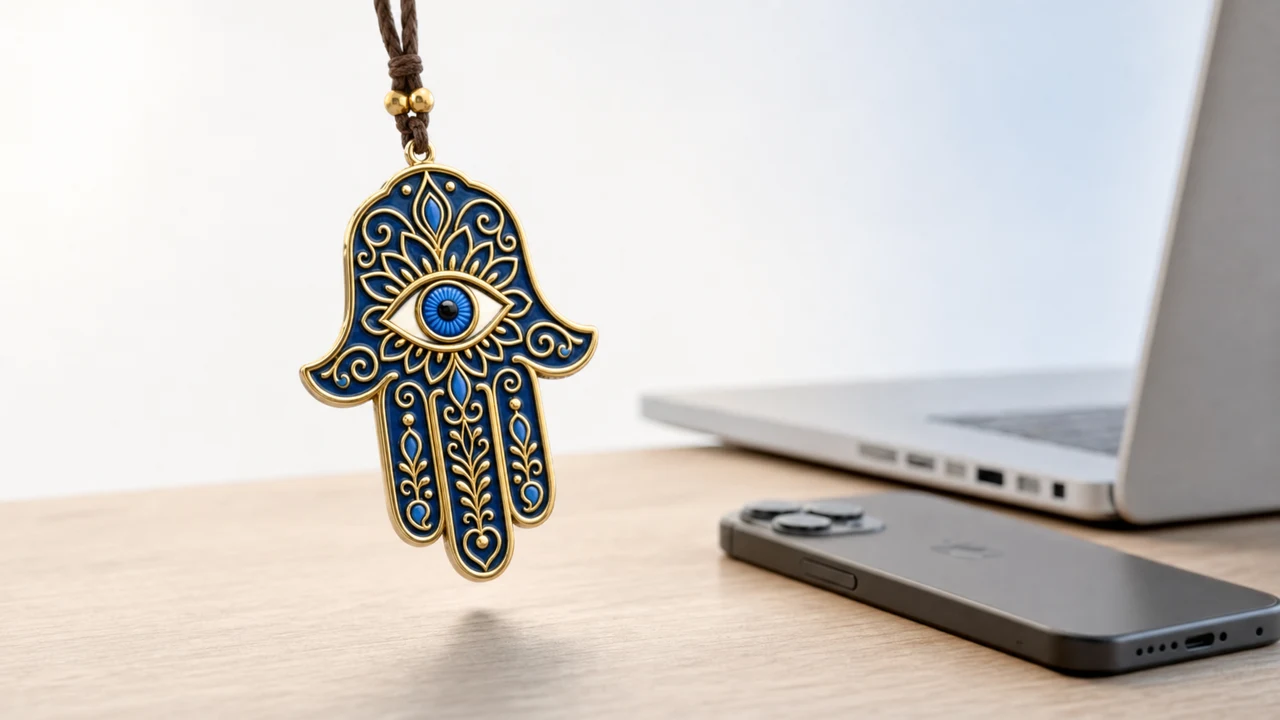
That is the case for a desktop charm over a desktop wallpaper. It is the same surface, the Mac screen, but one is present and alive over your work while the other sits behind it. The mechanics of how it hangs and stays out of the way are in hanging a charm on a Mac screen.

Book My Luck is one way to put that charm on the Mac. It hangs from the top edge, clicks straight through, and can come forward at a booked minute, for a one-time price. It does not touch your phone, which is exactly the point of this comparison.

Does a phone wallpaper have any advantage a desktop charm lacks?

Yes, and it is a real one, so this is not a clean sweep. Your phone goes everywhere your Mac does not.

That portability is the phone's whole case. The phone is always in your pocket, so a lucky lock screen reaches the bus stop, the waiting room and the queue outside the exam hall, places a laptop never follows.

A desktop charm cannot do that. It is tied to the machine, so its reach ends at the edge of your desk. If your life happens mostly away from a computer, the phone simply wins on being there.

The trade is depth for reach. The phone reaches more places but shows a static image that hides the moment you tap an app; the desk shows a living charm that stays present but only while you are at the Mac. Match that trade to your own week.

How to choose without overthinking it

Run one honest test. Over the next few days, notice which screen you are staring at each time your pulse picks up.

If it is your phone, set a lucky wallpaper and stop there, since the free option is genuinely the right one for you. If it is your Mac, a desktop charm will hold attention in a way a wallpaper on the same machine never will, because the wallpaper is buried under your work while the charm floats over it.

There is no prize for using the fancier option. The prize is a reminder you actually see, on whichever surface your hard moments land.

One more thing tips the choice for desk workers. A lock screen is glanced at in passing, for a second or two between tasks, while a desktop charm shares the whole stretch of work with you. Presence over minutes, not seconds, is what makes a charm feel like company rather than a passing image.

The honest counterpoint is that a phone wallpaper needs no purchase and no install. If cost or simplicity is the deciding factor, the free lock screen wins outright, and there is no shame in taking the free path that fits your day.

Which should you choose?

Pick by device, not by looks. If your anxious moments happen on your phone, set a lucky wallpaper and be done.

If they happen at your Mac, a desktop charm that stays present and reacts to you will earn its place, and a static wallpaper on the same machine will keep getting covered. Some people sensibly use both, a wallpaper for the pocket and a charm for the desk. For more ways to place luck on a screen, see five ways to hang luck, and for the wider habit it fits into, what a desk ritual is.

If you are still torn, let cost break the tie in the phone's favour and let presence break it in the Mac's. A lock screen is free and follows you; a desktop charm is a small one-time cost but stays alive in front of you all day. Neither answer is wrong, and both beat a charm you never look at, because the whole worth of any of these rests on being seen at the second your pulse climbs.

FAQ

Is a phone wallpaper or a desktop charm better for luck?

Neither is better in the abstract. A phone wallpaper wins if your nervous moments happen on the go; a desktop charm wins if they happen at your Mac, because it stays present over your work.

Why does a wallpaper stop feeling special?

Because it is static and quickly becomes covered by whatever you open. Your eye learns a still image within about a week, while a charm that moves keeps drawing a glance.

Can I use a lucky wallpaper and a charm together?

Yes. A lucky wallpaper covers moments away from your desk, and a desktop charm covers the ones at your Mac. They live on different surfaces and do not conflict.

Does a desktop charm cover my screen or block clicks?

A good one hangs from the top edge and clicks straight through, so your work underneath stays usable. It stays in view without getting in the way.

Which is cheaper?

A phone wallpaper is free. A desktop charm is usually a one-time purchase. The right question is which surface matches your day, not which costs less.

Do lucky wallpapers or charms actually work?

They work as charms do, by giving you a reminder and a small ritual before a moment. Treat either one as a way to steady yourself, not as a promise of the result.

Hang one for the moment that matters

Book My Luck hangs a real lucky charm from the top of your Mac screen. It sways, clicks through, and drops in on cue for the moments you book. One purchase, no subscription.

Get Book My Luck →